


There are plenty of difficult decisions to make in Fantasy Premier League, from your player picks to your captaincy choice, but few are quite as tough as naming your team.
Managers can sometimes spend weeks crafting the perfect FPL team name that represents them and their efforts into the game.
Whether that’s a football-based pun – something like Klopps and Robbos or Stranger Mings – or you simply go for your own name, it can often set the tone for the season.
However, there are times where managers may decide that their team name doesn’t suit them or perhaps they thought of an even better one after the fact.
Fortunately, there is an easy way to change your team name whenever it’s needed.
- READ MORE: FPL chips explained: How the Wildcard, Triple Captain, Free Hit, Bench Boost and Mystery Chip work

How do I change my FPL team name?
If you decide to change your team name on FPL, there is a simple process in place to submit the new name when the game updates.
- You must have an FPL account already registered and with a name.
- Once on the website, you can access the entry update page here.
- In the box that includes the team name, you can edit it with a maximum of 20 characters
- Press the “update details button and the new name will be in place
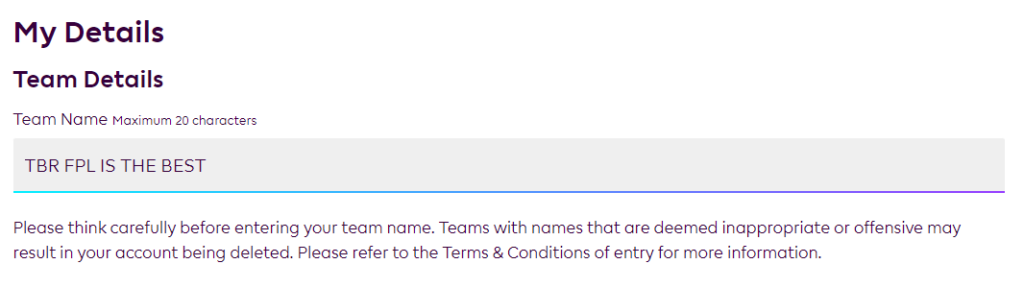
This same section will also allow managers to change their kit colours and sponsorship, along with any changes required to the favourite club section of the game.
What are the FPL team name rules?
There are two main rules surrounding the team names that are allowed in FPL by the Premier League themselves.
The first is that only 20 characters are allowed, restricting how long a name managers can make for their team.
The second rule, based on the Terms and Conditions agreed to when signing up to the account, surrounds the content of the name.
In their rules, the Premier League reserve the right to change the name of a team or league as well as suspend or delete those which contains inappropriate content.
From those terms, the Premier League define that as “promotional, profane, derogatory, discriminatory, divisive or offensive” names, regardless of the opinion that player may hold on the name they have chosen.